Monday, 21 March 2016

Task 16a

Task 16a:

Using w3schools.

Example 1:


Example 2:


Task 8 and 9

Task 8 and 9:

Where does the text "My First Page" appear?

<html>
<head>
<title>My First Page</title>
</head>
</html>

"My First Page" appears in the tab title of the page but not in the actual page itself.


<html>
<head>
<title>Jasmine Burgess-Moyle</title>
</head>
</html>


Task 7

Task 7:

Using w3schools.

What does this do?: <p> Hello world! </p> 

In HTML we need to use a start tag and an end tag. The <p> and </p> before Hello world! are a start tag and an end tag and p is the tag name for paragraph. They do not show up and only show the content in between.


Task 6

Task 6:

Tag:

A HTML tag is a keyword (tag name) surrounded by angle brackets.

<tag name>content</tag name>

HTML tags usually come in pairs, a start tag (<p>) and an end tag (</p>). The end tag is written like the start tag but with a slash before the tag name.

Element:

HTML Elements are written with a start tag and an end tag with the content in between. The HTML element is anything from the start to the end of the tag.

<p>Jasmine's Paragraph</p>

Attribute:

Attributes provide additional information about HTML elements. Attributes are always specified in the start tag and come in name/value pairs like: name="value".

<html lang="en-US">


Task 27

Task 27:

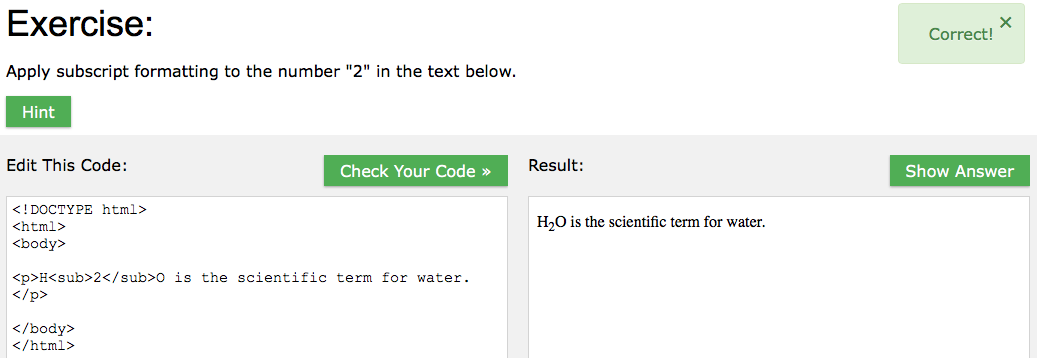
Doing the exercises at w3schools.

Exercise 1:


Exercise 2:


Task 26

Task 26:

Doing the exercises at w3schools.

Exercise 1:


Exercise 2:


Exercise 3:


Exercise 4:


Exercise 5:


Exercise 6:


Task 25.1

Task 25.1:

Doing the exercises at w3schools.

Exercise 1:


Exercise 2:


Exercise 3:


Exercise 4:


Exercise 5: